Installing a chrome extension vpn looks like a quick fix for online privacy. A few clicks, instant activation, and the feeling that your browsing is suddenly anonymous and secure.
But the technical reality is more nuanced.
Not all VPN browser extensions offer the same level of protection, and many users confuse browser proxies, partial VPN protection, and full network security. Before installing a free extension, it’s important to understand what it actually does—and what it doesn’t.
Table of Contents
What is a Chrome extension VPN?
Technical definition
A Chrome VPN extension is a browser add-on that reroutes or modifies traffic generated specifically by Chrome.
Important distinction: in many cases, this is not a full system-level VPN, but rather an encrypted browser proxy limited to web traffic.
In practical terms:
- Your Chrome browsing traffic may be protected
- Other apps on your device may remain completely exposed
To better understand how VPN technology works, you can explore this overview of a virtual private network (VPN).
Why browser VPN extensions are popular
The appeal is obvious:
- Fast installation
- No complex setup
- One-click activation
- Easy access to certain geo-restricted content
For occasional convenience, this works well. For serious security, the discussion changes.
Real advantages of a Chrome extension VPN
Quick protection on public Wi-Fi
When using public networks, a reputable extension can add a useful security layer against some interception risks.
Access to geo-restricted content
Some browser VPN extensions help bypass regional content limitations.
Improved privacy—partially
Masking your browser IP improves privacy, but it does not guarantee full anonymity.
Limitations many users overlook
Incomplete protection
This is the critical point: browser VPN extensions usually do not protect:
- Desktop applications
- Email clients
- Games
- Other background network traffic
You are protecting part of your traffic—not your full device.
Free VPNs raise business model questions
If a VPN service is free, it’s reasonable to ask how it makes money.
Some free providers may:
- Collect browsing data
- Inject ads
- Throttle bandwidth heavily
The rational approach: always review the privacy policy before installation.
Performance issues
Free VPN browser extensions often struggle with:
- Overloaded servers
- Slow speeds
- High latency
How to evaluate a Chrome VPN extension
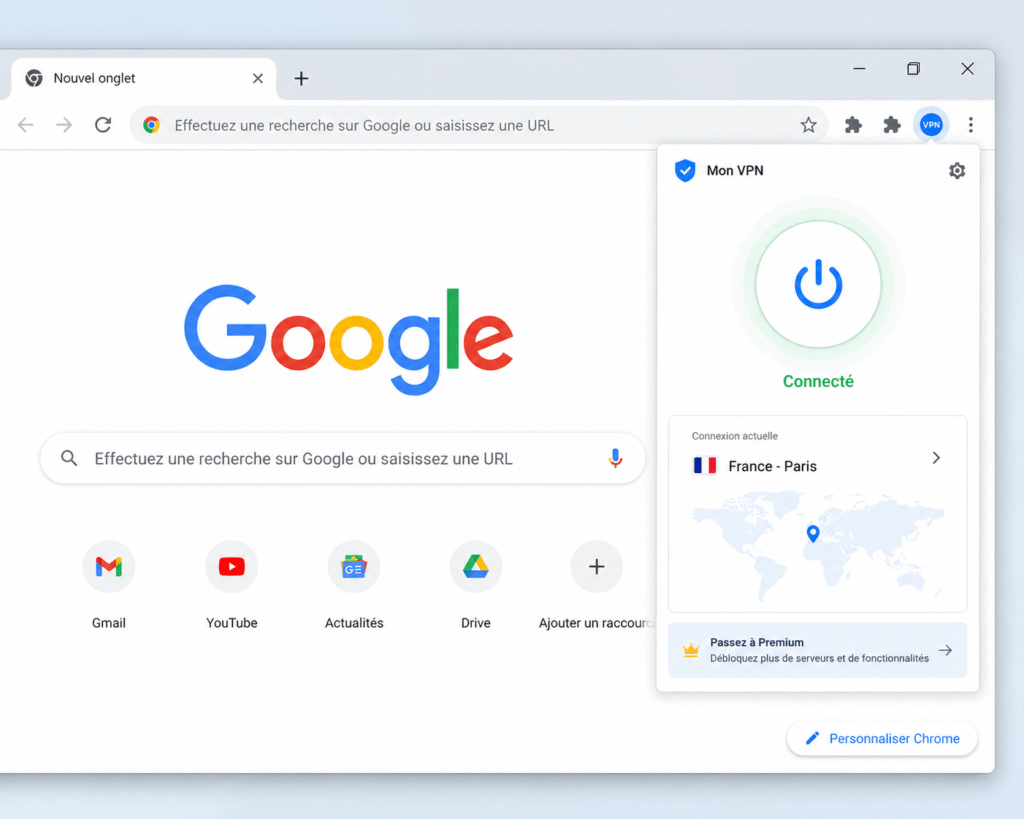
Key criteria
- Clear no-logs policy
- Documented encryption practices
- Transparent company ownership
- Presence on the official Chrome Web Store
- Frequent security updates
Official extensions are distributed via the Chrome Web Store, which provides a minimal trust filter—but not an absolute guarantee.
Browser extension VPN vs full VPN
| Feature | Chrome Extension VPN | Full VPN |
|---|---|---|
| Browser protection | Yes | Yes |
| Full device protection | No | Yes |
| Setup complexity | Very easy | More complete setup |
| Overall security | Limited | Much stronger |
Common mistakes to avoid
- Confusing a proxy with a real VPN
- Installing unknown extensions without checking legitimacy
- Assuming free VPN means anonymity
- Ignoring requested permissions
A browser extension asking for excessive permissions should immediately raise suspicion.
Should you use a Chrome extension VPN?
The rational answer:
- Yes for light, occasional use
- No as your primary cybersecurity solution
A browser VPN extension is a convenience tool—not a complete digital shield.
Conclusion
A chrome extension vpn can improve browsing privacy and convenience, but its technical limitations must be clearly understood.
For bypassing simple restrictions or adding quick browser-level privacy, it may be sufficient.
For serious digital protection, a more robust security approach with a full VPN is the smarter choice. If you want to consult the tools and software available, consult our articles.