A high-performing website is not just about design or content. Its real strength lies in its ability to stay fast, accessible, and secure at all times.
This is where website monitoring becomes essential. It allows you to continuously track performance, detect issues early, and maintain a smooth user experience.
In this guide, you will learn:
- what website monitoring really is
- which tools you should use
- which metrics actually matter
- how to optimize your site effectively
Table of Contents
What is website monitoring?
Definition
Website monitoring refers to the continuous tracking of key technical elements such as:
- page loading speed
- uptime and availability
- technical errors
- security issues
The goal is simple: detect problems early before they impact users or SEO performance.
Why it matters
A slow or unstable website directly affects:
- search engine rankings
- conversion rates
- user trust
Search engines prioritize fast and reliable websites. Without monitoring, you risk losing traffic without even noticing.
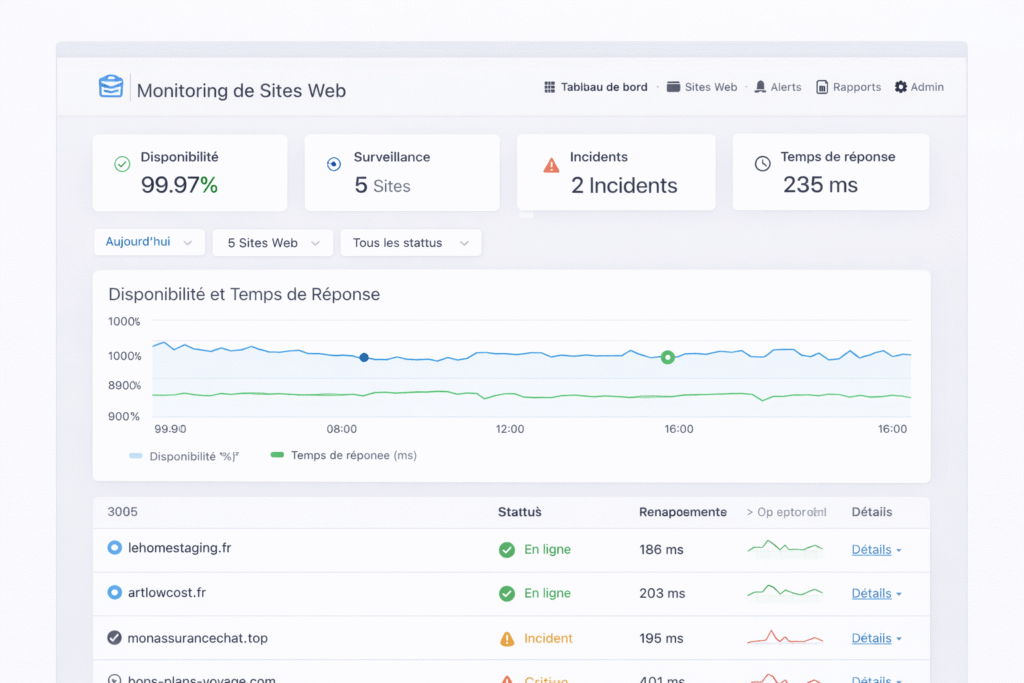
Essential tools for website monitoring
Free tools
- Google Analytics: track traffic and user behavior
- Google Search Console: detect SEO and technical issues
Advanced monitoring tools
- Pingdom: uptime and performance monitoring
- GTmetrix: detailed performance analysis
- UptimeRobot: real-time monitoring alerts
SEO and performance tools
- Ahrefs: backlink and keyword tracking
- SEMrush: full technical SEO audits
Key metrics to monitor
Page load time
Your pages should load in under 3 seconds. Anything slower increases bounce rates significantly.
Uptime
Your website should be available 24/7. Even short downtime can harm your SEO and revenue.
Bounce rate
A high bounce rate may indicate:
- slow loading speed
- poor content relevance
- bad user experience
Technical errors
Monitor issues such as 404 errors, server failures, and broken pages.
How to improve website performance
Speed optimization
- compress images
- enable caching
- minify CSS and JavaScript
Regular maintenance
- update plugins and themes
- run performance checks
- audit your site regularly
- check security
Content optimization
Monitoring data helps identify underperforming pages and SEO opportunities.
Security and monitoring
Common threats
- XSS attacks
- SQL injections
- malware
Best practices
- keep your system updated
- use HTTPS
- monitor access activity
Monitoring tools help detect suspicious behavior early.
Common mistakes to avoid
- ignoring monitoring data
- not reacting to alerts
- using only one tool
- neglecting security
Conclusion
Website monitoring is a core pillar of any digital strategy.
It allows you to:
- anticipate technical issues
- improve performance
- enhance security
A well-monitored website is faster, more reliable, and better positioned in search results.