Debian 12 “Bookworm” brought some of the most important changes to Debian in years: easier firmware handling, Linux kernel 6.1, PipeWire for modern audio management and major updates across its desktop environments.
But there is an important question to ask in 2026: is Debian 12 still worth installing?
Debian has always prioritized stability over having the newest possible software, which is precisely why older stable releases can remain relevant for servers, development environments and PCs where reliability matters more than constant feature updates.
If you are considering Debian 12 today, this guide explains its key features, hardware support, desktop environments, developer tools and long-term support situation so you can decide whether Bookworm still makes sense for your setup.
In short:
- Non-free firmware support makes installation easier on hardware that requires proprietary firmware.
- Linux kernel 6.1 provides the foundation of Debian 12.
- PipeWire provides modern audio and multimedia handling, particularly with GNOME.
- Updated desktop environments include GNOME 43, KDE Plasma 5.27 and Xfce 4.18.
- Eight officially supported architectures make Debian 12 unusually versatile.
- Long-term support extends Debian 12’s usefulness beyond its initial stable release period.
Table of Contents
Debian 12 in 2026: what you should know before installing it
Debian 12 was originally released in June 2023, so installing Bookworm in 2026 is very different from installing it when it first appeared.
The biggest reason to choose Debian 12 today is not novelty. It is predictability and stability.
Debian’s stable branch is deliberately conservative. Packages are not continuously replaced by the newest upstream releases simply because a newer version exists. Instead, the project focuses heavily on maintaining a dependable system throughout the release lifecycle.
That philosophy can make Debian particularly attractive for servers, development machines, self-hosted services and professional environments where unexpected changes can create more problems than they solve.
For developers considering Linux as part of their professional environment, our Tech Careers guides also explore the skills and technologies commonly encountered across modern technology roles.
Installing Debian 12: non-free firmware makes setup easier
One of Debian 12’s most noticeable changes compared with Debian 11 concerns firmware.
Historically, Debian’s strict approach to free software could make installation inconvenient on computers requiring proprietary firmware for components such as Wi-Fi adapters.
Debian 12 introduced a dedicated non-free-firmware component and allowed official installation images to include firmware packages that may be required for certain hardware.
For ordinary users, the practical consequence is simple: installing Debian on modern hardware can be considerably less frustrating than it was with older releases.
The installer can detect required firmware and make it available during installation, reducing the need to manually prepare additional firmware files simply to get networking or other components working.
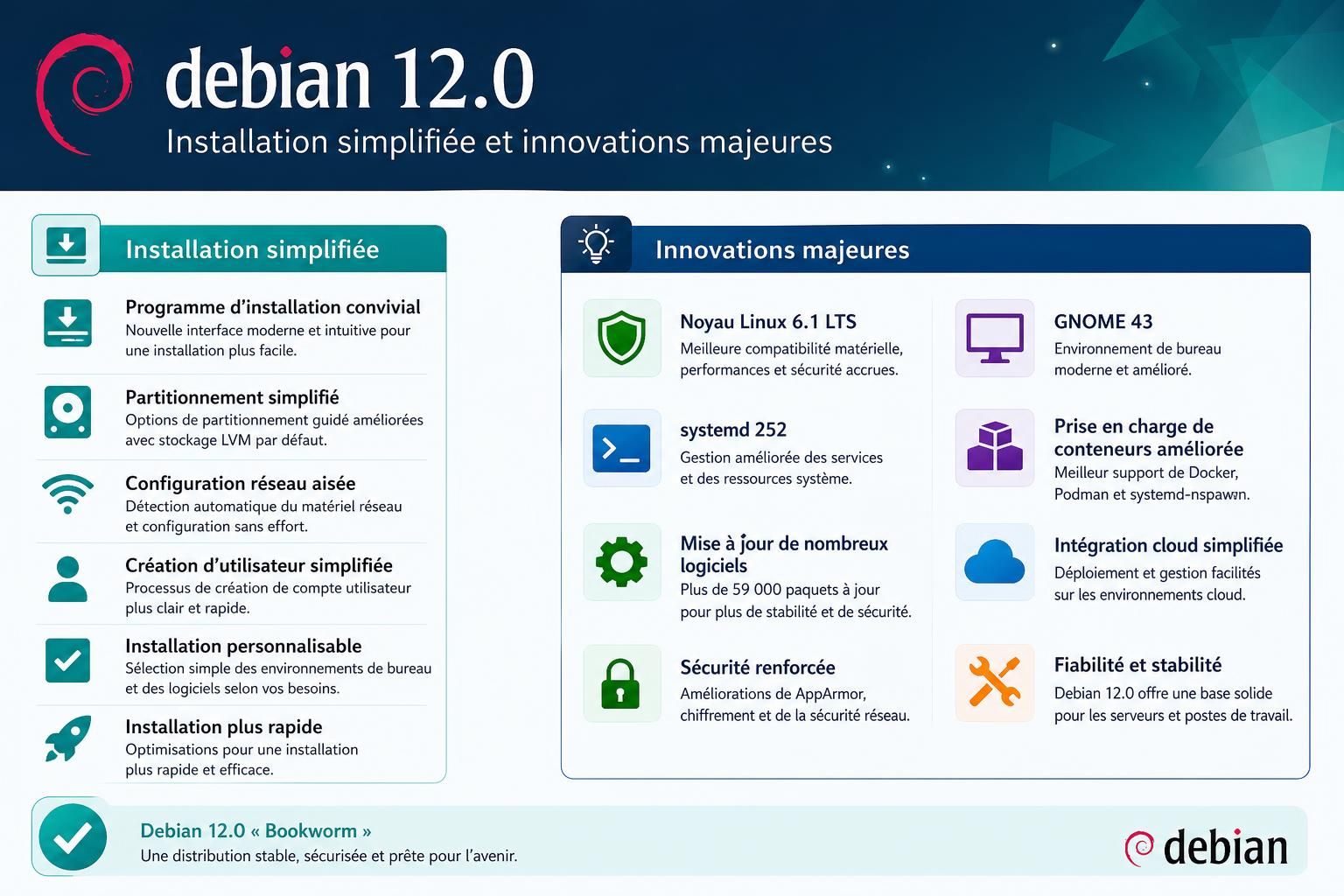
Linux kernel 6.1: the foundation of Debian 12
Debian 12 ships with the Linux 6.1 kernel series, providing the core hardware and system foundation for Bookworm.
For users upgrading from Debian 11, the newer kernel generation brought improved hardware support and numerous changes across memory management, filesystems, networking and other parts of the Linux ecosystem.
However, users buying very recent hardware in 2026 should remember that Debian 12 was designed around a kernel generation released years earlier. Hardware compatibility should therefore be checked before choosing Bookworm for a brand-new PC.
PipeWire modernizes audio on Debian 12
Another important technical change is PipeWire, particularly for GNOME users.
PipeWire is designed to handle audio and video streams and has become an important part of the modern Linux desktop ecosystem.
Combined with WirePlumber for session and policy management, it provides a more unified multimedia architecture and can handle use cases ranging from everyday desktop audio to more advanced routing scenarios.
For users moving from older Debian installations, this is one of the changes that makes Bookworm feel more aligned with contemporary Linux desktop distributions.
Debian 12 desktop environments: GNOME, KDE, Xfce and more
Debian does not lock you into a single desktop experience. Bookworm provides several established environments, allowing users to choose between modern interfaces, extensive customization and lightweight desktops.
KDE Plasma 5.27
KDE Plasma 5.27 is one of the strongest choices for users who want a highly customizable desktop while retaining a familiar traditional layout.
Plasma 5.27 introduced improvements across window management and desktop usability, including enhanced tiling capabilities. It is particularly attractive to users who enjoy adapting their interface to a specific workflow.
GNOME 43
GNOME 43 represents a significant jump from the GNOME 3.38 generation included with Debian 11.
Among its visible improvements is the redesigned Quick Settings menu, providing faster access to common controls. The broader GNOME ecosystem also continued its transition toward GTK4 and newer application technologies.
Xfce 4.18, Cinnamon 5.6 and MATE 1.26
Users looking for alternatives can choose Xfce 4.18, Cinnamon 5.6 or MATE 1.26.
Xfce is particularly attractive for users who prefer a relatively lightweight and traditional desktop. Cinnamon provides a familiar interface that can feel comfortable to users coming from Windows, while MATE continues the classic desktop philosophy associated with earlier GNOME generations.
The ability to choose between these environments remains one of Debian’s strengths: the operating system can be adapted to the machine and the user instead of imposing one desktop workflow.
Debian 12 packages and developer tools
Debian 12 launched with more than 64,000 packages, including thousands of packages that were new to Bookworm.
For developers and system administrators, the release also brought substantial upgrades to programming languages, databases, web servers and command-line utilities compared with Debian 11.
| Tool | Debian 11 | Debian 12 |
|---|---|---|
| Apache | 2.4.54 | 2.4.57 |
| Nginx | 1.18 | 1.22 |
| Cryptsetup | 2.3.2 | 2.6 |
| GnuPG | 2.2.27 | 2.2.40 |
| OpenSSH | 8.4p1 | 9.2p1 |
| MariaDB | 10.5 | 10.11 |
| PostgreSQL | 13 | 15 |
| PHP | 7.4 | 8.2 |
| Python | 3.9.2 | 3.11.2 |
| Rust | 1.48 | 1.63 |
This makes Debian particularly relevant to people learning or working with web infrastructure, Linux administration and software development.
If your focus is web development, understanding the distinction between client-side and server-side technologies is equally important. Our guide to back-end vs front-end web development explains how the two sides differ and which technologies are commonly associated with each.
Debian 12 hardware architecture support
Debian’s reputation as a “universal operating system” is partly based on the wide variety of hardware platforms it supports.
Debian 12 officially supports eight architectures:
- 64-bit PC (amd64)
- 64-bit ARM (arm64)
- ARM EABI (armel)
- ARMv7 (armhf)
- 32-bit PC (i386)
- MIPS variants
- 64-bit little-endian PowerPC (ppc64el)
- IBM System z (s390x)
This broad architecture support is particularly useful outside the conventional desktop PC market, including servers, embedded systems and ARM-based machines.
How long is Debian 12 supported?
This is one of the most important questions to ask before installing Debian 12 in 2026.
Debian releases typically move through different support phases. After the regular Debian Security Team support period, selected architectures can continue receiving security updates through the Debian Long Term Support (LTS) project.
For Debian 12 Bookworm, LTS extends the lifecycle to June 30, 2028 for supported architectures.
That does not mean every package is guaranteed to receive exactly the same level of support throughout the entire period. Users running important production systems should always check the current Debian security and LTS documentation for the packages and architecture they depend on.
For authoritative and up-to-date information, consult the official Debian 12 Bookworm documentation, which provides release information, installation instructions and links to Debian’s official resources.
Should you install Debian 12 in 2026?
Debian 12 can still make sense in 2026, but it is no longer the obvious Debian choice for every new installation.
Bookworm remains attractive when you specifically need a mature and predictable environment, already run infrastructure based on Debian 12, or depend on software validated against this release.
On the other hand, users performing a completely new installation should compare Debian 12 with the current stable Debian release before making a decision. Newer hardware, newer software requirements and the remaining support window can all influence which release is the better fit.
In other words, Debian 12’s greatest strength in 2026 is precisely what Debian has traditionally done well: providing a stable foundation that does not suddenly become useless just because a newer release exists.
Debian 12 FAQ
Is Debian 12 still worth installing in 2026?
Yes, in some situations. Debian 12 can still be useful if you need a mature and predictable environment or already maintain systems based on Bookworm. For a completely new installation, however, compare Debian 12 with the current stable Debian release before deciding.
What are the main improvements in Debian 12 compared with Debian 11?
Major changes include improved handling of non-free firmware during installation, Linux kernel 6.1, PipeWire for modern audio handling and newer desktop environments including KDE Plasma 5.27, GNOME 43 and Xfce 4.18.
How long is Debian 12 supported?
Debian 12 Bookworm can receive Long Term Support until June 30, 2028 for supported architectures. For production systems, check Debian’s current LTS documentation for package and architecture-specific information.
Which desktop environments are available with Debian 12?
Debian 12 includes several desktop environments, including KDE Plasma 5.27, GNOME 43, Xfce 4.18, Cinnamon 5.6 and MATE 1.26. The best choice depends on the interface, features and resource usage you prefer.
Where should I download Debian 12?
Use the official Debian website for installation images and documentation rather than relying on unknown third-party download sources.